Once you know your car’s plate number, it only takes a few minutes to check for traffic fines in Sharjah. Several government websites let you do it online, so you don’t have to go to a police station or wait in a long line.
Also, the process is easy and can be done on either your phone or computer. The most used ways to check Sharjah traffic fines by plate number
Sharjah Police Website (shjpolice.gov.ae)

- SRTA E-Forms Portal (eforms.srta.gov.ae)
- Emirates Vehicle Gate (EVG)
- MOI UAE Mobile App
3 Ways to Check Sharjah Traffic Fines by Plate Number
Anyone in Sharjah can get a traffic ticket since you may drive too fast, park in the wrong spot, or miss a traffic sign. It only takes about 3 minutes to check all of your fines with your license plate number, and there are several ways to do this.
1. Check Sharjah Traffic Fines by Plate Number with the MOI website
1. Go to the MOI website (Ministry of Interior, UAE) or visit shjpolice.gov.ae, which redirects to MOI
2. Click on “E-SERVICES” from the top menu
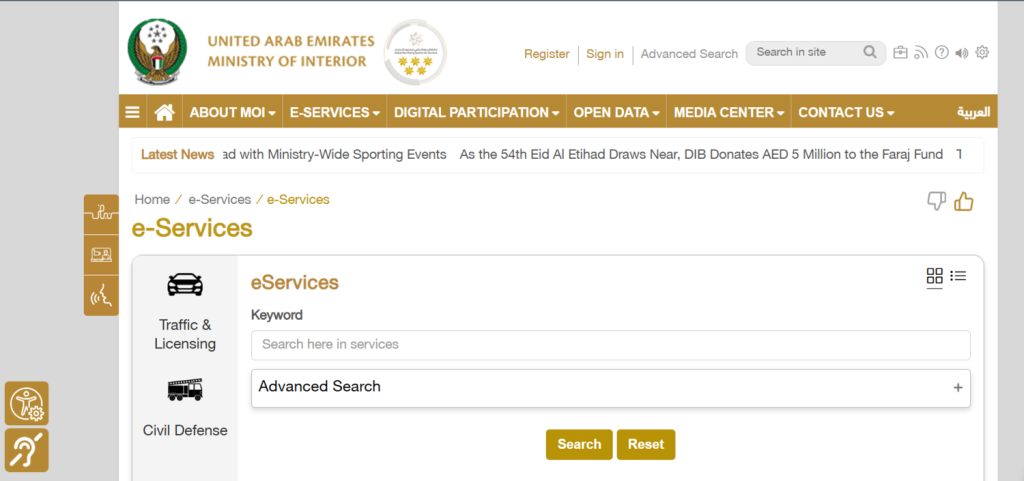
3. Select “Traffic & Licensing” from the left sidebar
4. Scroll down through the available services
5. Find and click on the “Traffic Fines Payment” service
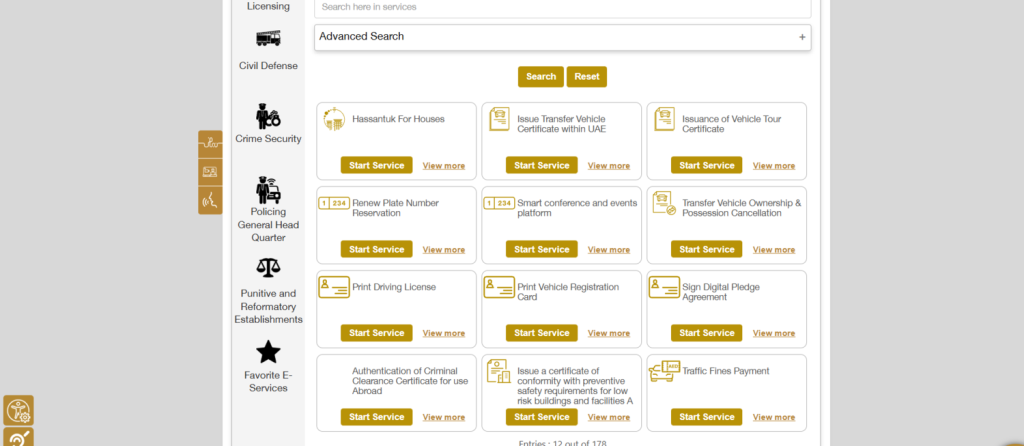
6. Click the “Start Service” button (gold/yellow button)
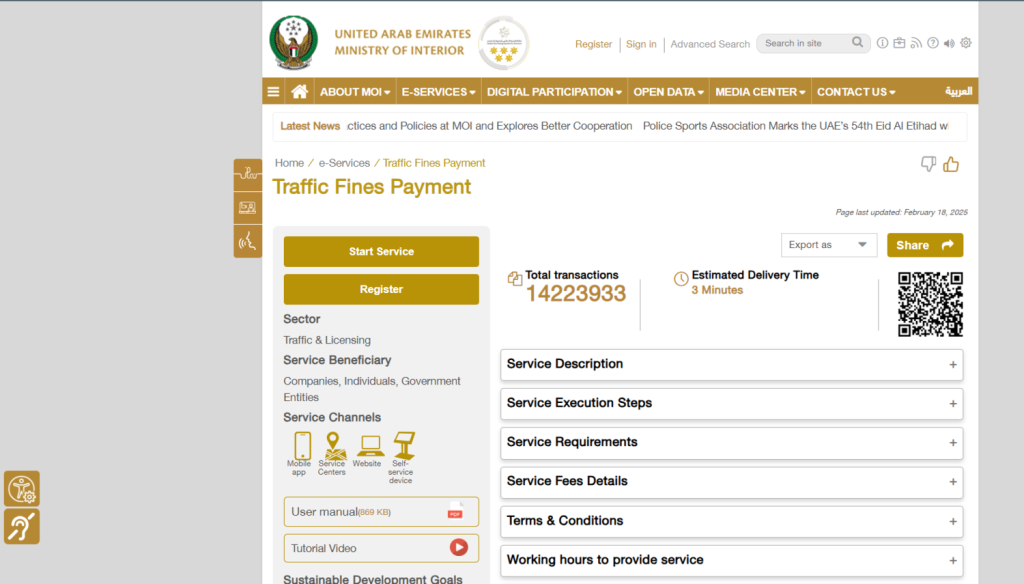
7. You’ll be redirected to the UAE PASS login page
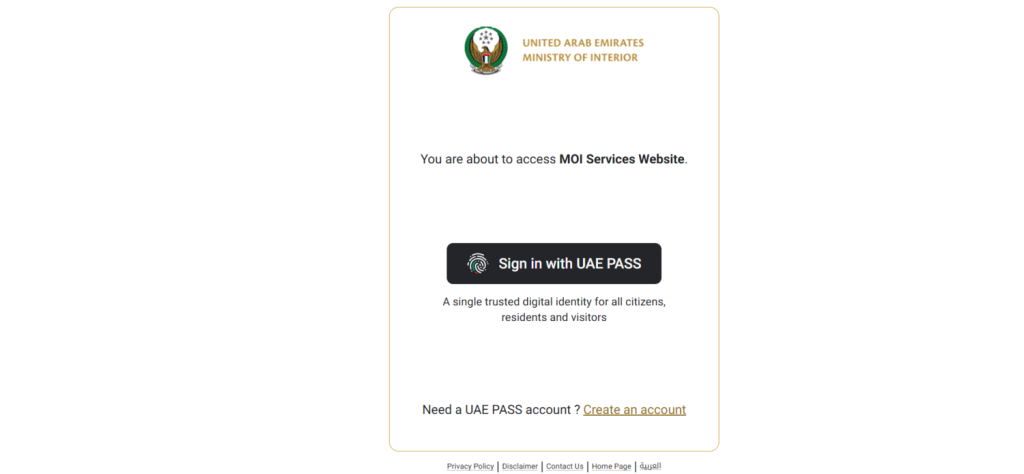
8. Sign in with your UAE PASS account (or create one if needed)
9. Once logged in, enter your vehicle plate number or traffic file number
10. View all your outstanding fines with complete details
Keep in mind to:
- UAE PASS Required: You must have a UAE PASS account to access the traffic fines service through MOI.
- Alternative Without Login: If you don’t want to log in, you can use the SRTA portal (eforms.srta.gov.ae), which allows checking fines by plate number without requiring UAE PASS registration.
2. Check Sharjah Traffic Fines by Plate Number Through Dubai RTA
1. Visit the RTA Dubai website at rta.ae
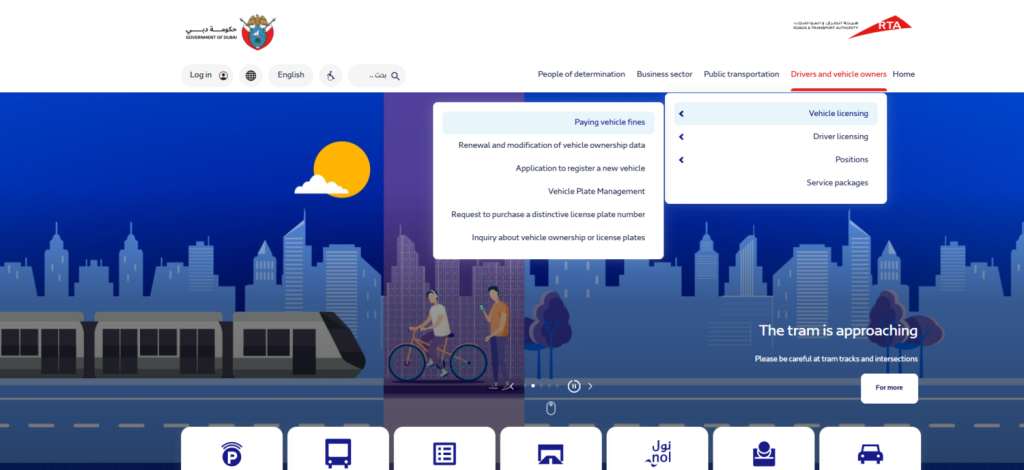
2. From the homepage, look for “Drivers and vehicle owners” in the top menu
3. Click on “Paying vehicle fines” from the dropdown menu (visible on homepage)
4. You’ll land on the “Paying vehicle fines” service page
5. Click the blue “Start now” button
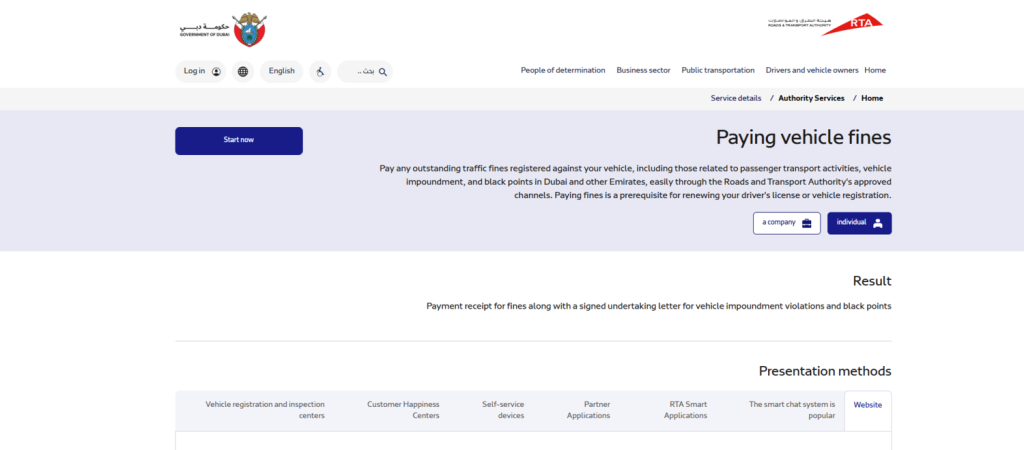
6. Choose whether you’re checking as “individual” or “a company.”
7. Select “individual” for personal vehicle fines
8. You’ll see the “Fines Inquiry and Payment” page with four tabs at the top
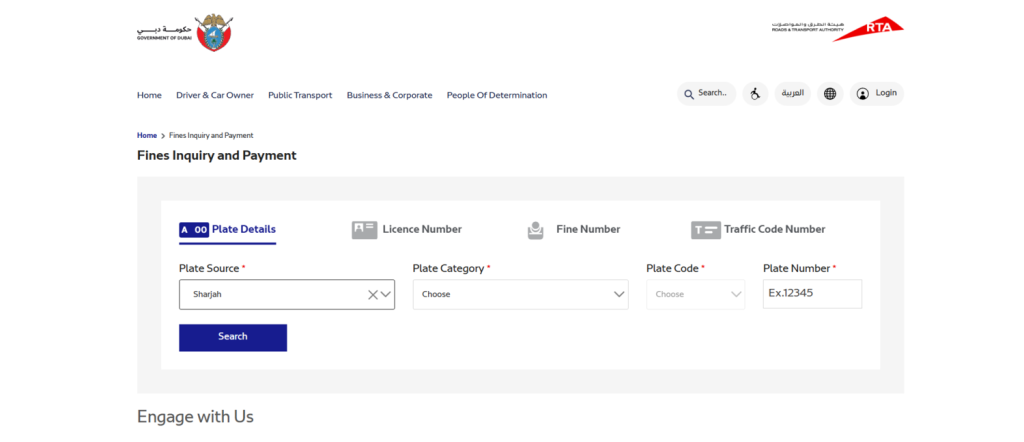
9. Click on the “Plate Details” tab (first option with car plate icon)
10. Fill in the required fields:
- Plate Source: Select “Sharjah” from the dropdown
- Plate Category: Choose your vehicle category from the dropdown
- Plate Code: Select the letter code from the dropdown
- Plate Number: Enter your plate number (example shown: Ex 12345)
11. Click the blue “Search” button
3. Sharjah Traffic Fines Check Via Sharjah Municipality Website
1. Visit the Sharjah Municipality website.
2. You’ll see the “Search For Vehicle Fines” page with two search options at the top
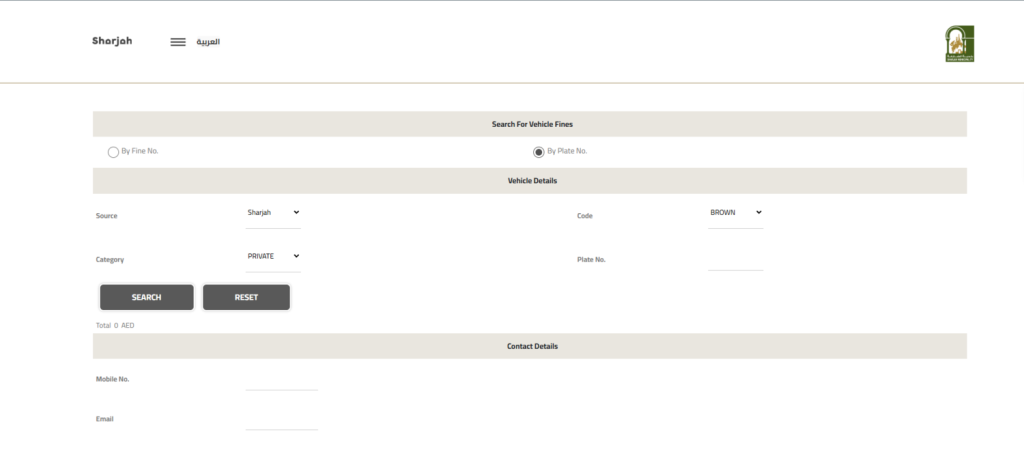
3. Select By Plate No
4. Under the “Vehicle Details” section, fill in the following fields:
Left side:
- Source: Select “Sharjah” from the dropdown (already pre-selected)
- Category: Choose “PRIVATE” (or your vehicle category) from the dropdown
Right side:
- Code: Select your plate code from the dropdown (example shown: “BROWN”)
- Plate No.: Enter your vehicle plate number in the empty field
Click the “SEARCH” button (dark gray button on the left)
The system will display your fines below with the total amount shown (example: “Total: 0 AED”)
How to Pay Sharjah Traffic Fines Online Through the MOI App?
Follow these steps to pay Sharjah traffic fines by plate number
- Open the app and go straight to where your fines are listed (you already searched for them earlier)
- Tap on whichever fines need paying, and you can pick multiple ones at once
- Choose how you want to pay from the options that pop up (usually card or digital wallet)
- Confirm the payment amount looks right, then tap the confirm button
- The app processes everything instantly and shows you a confirmation message within seconds
Your phone saves the receipt automatically in the app’s history section. No need to print anything or worry about losing proof of payment since it’s all digital and backed up.
FAQs | Sharjah Traffic Fines Check
Most fines show up within 48 to 72 hours after the violation happens. Radar violations usually appear faster than manual ones, so check regularly to catch them early.
Yes, anyone can search using the plate number since it’s public information. However, paying the fine might need the vehicle owner’s details, depending on which platform you use.
No, the Sharjah Police website and SRTA portal let you check without any login. Only the MOI app requires UAE Pass registration for access.
Double-check you entered the correct plate number and emirate code. Also, make sure you selected Sharjah as the issuing place, and wait a few days if the violation just happened recently.
Absolutely, tourists can use the plate number from their rental agreement to check fines. Contact your rental company if you need help finding the exact plate details.
Discounts apply automatically when you pay within the discount period, which is 35% off within 60 days. Serious violations like DUI or accidents causing injuries don’t get discounts, though.
Contact Sharjah Police immediately through WhatsApp at +971-6-517-7555 with your plate number and evidence. You can also file a dispute through the MOI app’s complaint section.
Yes, all platforms let you select multiple fines and pay them together in one transaction. This saves time compared to paying each fine separately.
Credit cards, debit cards, and some platforms accept digital wallets like Apple Pay or Google Pay. Cash payments work only at physical police stations and service centers.